

Upload video and audio
Business & Enterprise · See plansAdd your own video or audio file to any block in a Riddle: a product clip above a question, a teaser on the start page, a spoken hint in a language quiz. Uploaded media is hosted by Riddle and plays inside the Riddle, so your audience never leaves the page. Uploading MP4 videos is available on Business and Enterprise plans; audio upload is available on every plan.
Use cases:
- Video quiz: show a short clip and ask what happens next, or let your audience identify a scene, a product or a person.
- Brand video on the start or result page: open with your campaign clip and close with a call to action.
- Listen and answer: language learning, music quizzes or audio riddles where the audio file is the question.
- Product explainer between questions: a Text / media block with a video keeps your audience engaged between two questions.
Upload an MP4 video
- In your block, click on Add image, GIF, or video/audio file.
- Switch to the VIDEO/AUDIO tab of the media picker.
- Click on UPLOAD VIDEO and drag your MP4 file into the field, or click on it to search your files.
The media picker shows the limits for uploads: MP4, max. 10 MB and 60 s. Compress or trim longer videos before uploading them.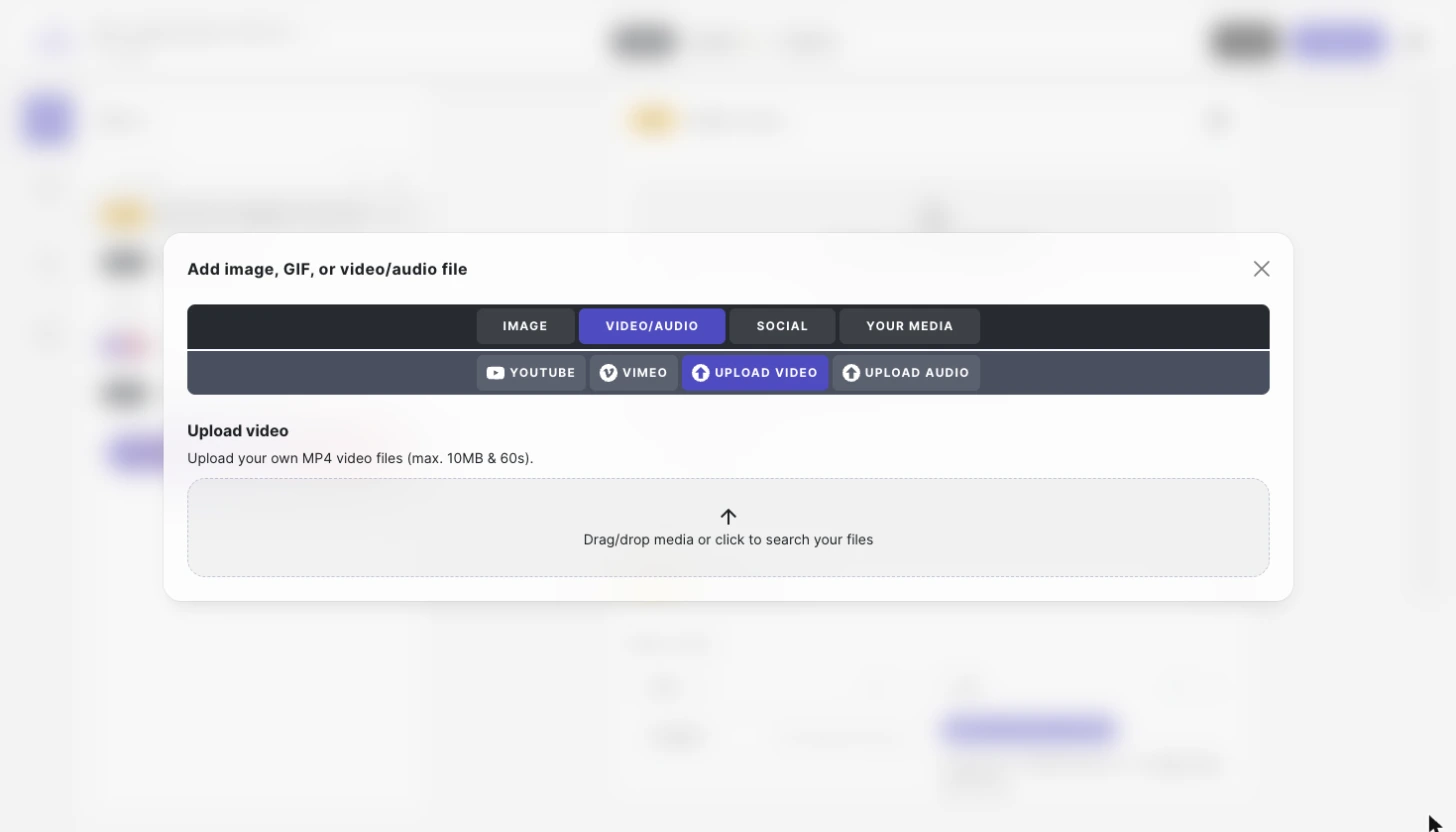
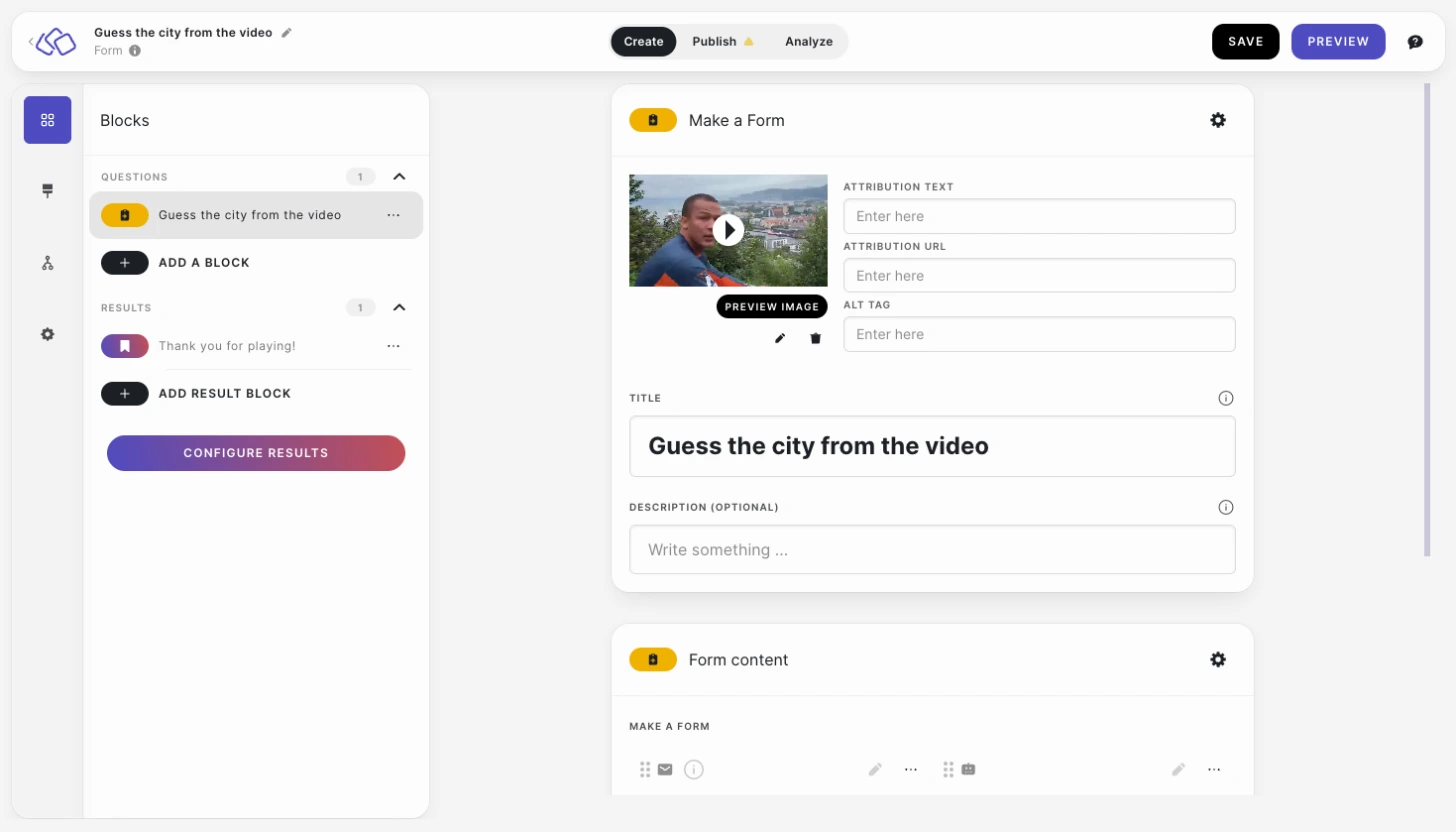
- The video appears in the block in place of an image, with a play button. Next to it you can add an attribution text, an attribution URL and an alt tag, and PREVIEW IMAGE lets you check how it looks. Use the pencil icon to replace the video and the trash icon to remove it.
Upload an audio file
Audio upload is available on every plan.
- In your block, click on Add image, GIF, or video/audio file.
- Switch to the VIDEO/AUDIO tab of the media picker.
- Click on UPLOAD AUDIO and drag your MP3 file into the field, or click on it to search your files.
The media picker shows the limits for uploads: MP3, under 7 MB. You can also add a background image that is shown with the audio player.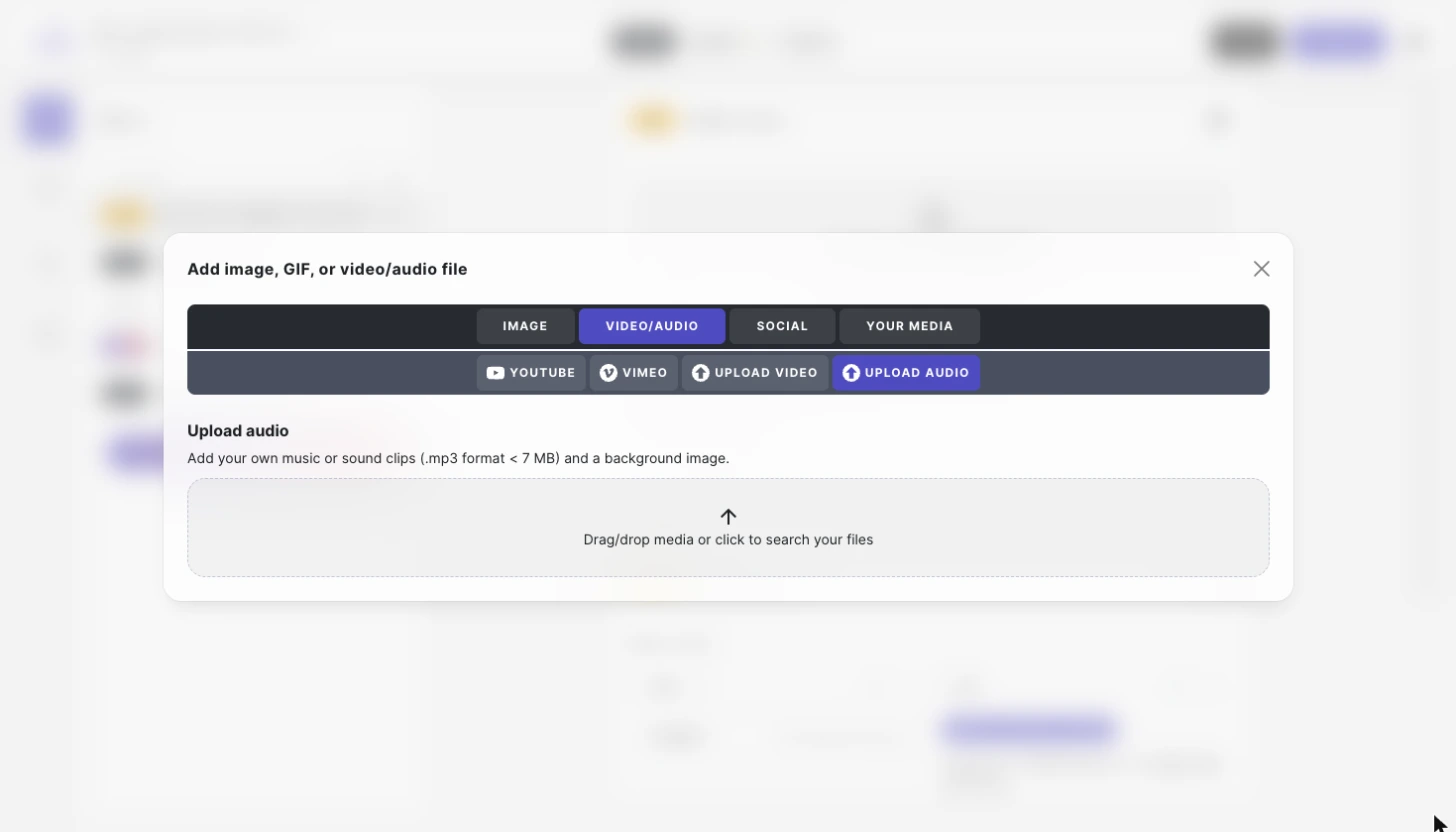
- The audio player appears in the block, where an image would otherwise be shown.
Embed instead of uploading
On every plan, you can also embed a YouTube or Vimeo video from the VIDEO/AUDIO tab instead of uploading a file. Paste the URL of the video. Embedded videos are not subject to the 10 MB and 60 seconds limits, but they load from the external platform.
Embed a social media post
You can embed a post from X, TikTok or Instagram in any block.
- In your block, click on Add image, GIF, or video/audio file.
- Switch to the SOCIAL tab of the media picker.
- Select X, TIKTOK or INSTAGRAM.
- Paste the URL of the post. For Instagram, the post must be public.
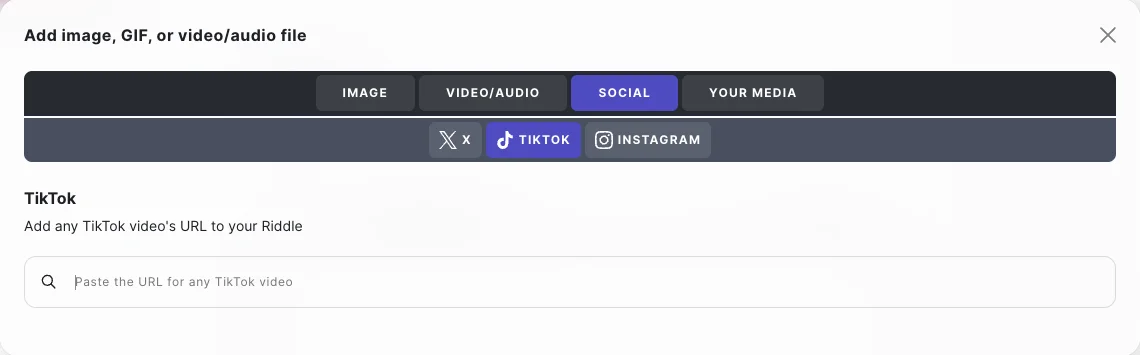
The post is shown in the block in place of an image. Embedded posts load from the external platform.
Use cases:
- TikTok video in a quiz result: show a TikTok clip on the result page as the answer or a reward.
- Instagram post as a poll opener: embed a post and ask your audience what they think of it.
To show a consent step before these posts load, enable Privacy opt-ins.
Good to know
- Videos and audio files cannot be cropped; only images can be edited in the Creator.
- The media picker lists the formats and limits next to each upload option, so you always see the current values there.
- Keep video files small: a maximum of 10 MB keeps your Riddle fast on mobile connections. See Image sizes and ratios for more tips on media sizes.
- A video or audio file that is already in your media library is inserted from the YOUR MEDIA tab of the same media picker.
Next steps
- Media library – upload and organize the media you use regularly.
- Image sizes and ratios – the right dimensions and file sizes for images, GIFs and videos.
- White label your Riddle – your own colors, fonts, logo and videos for a native look.