

Your Riddle landing page
Every published Riddle gets a landing page at riddle.com/view/RIDDLEID that you can share directly via link, QR code, or social media – no embedding required. Use this for quick sharing when you do not have a website to embed on, or for internal testing before embedding.
View your Riddle landing page
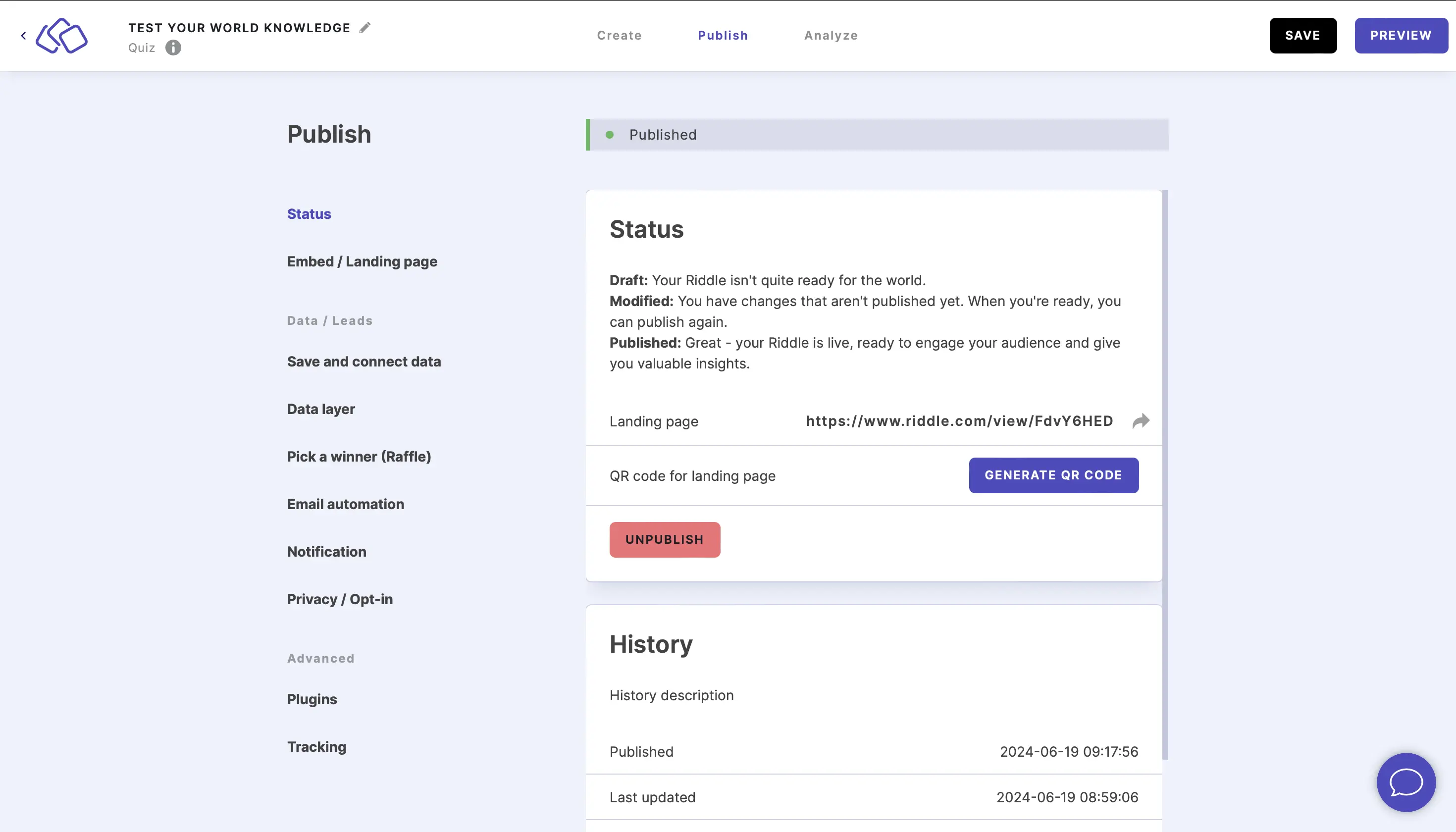
- Go to the Publish section.
- Click on Status.
- Publish your Riddle and then click on the link next to Landing page.
Share your Riddle using a QR code
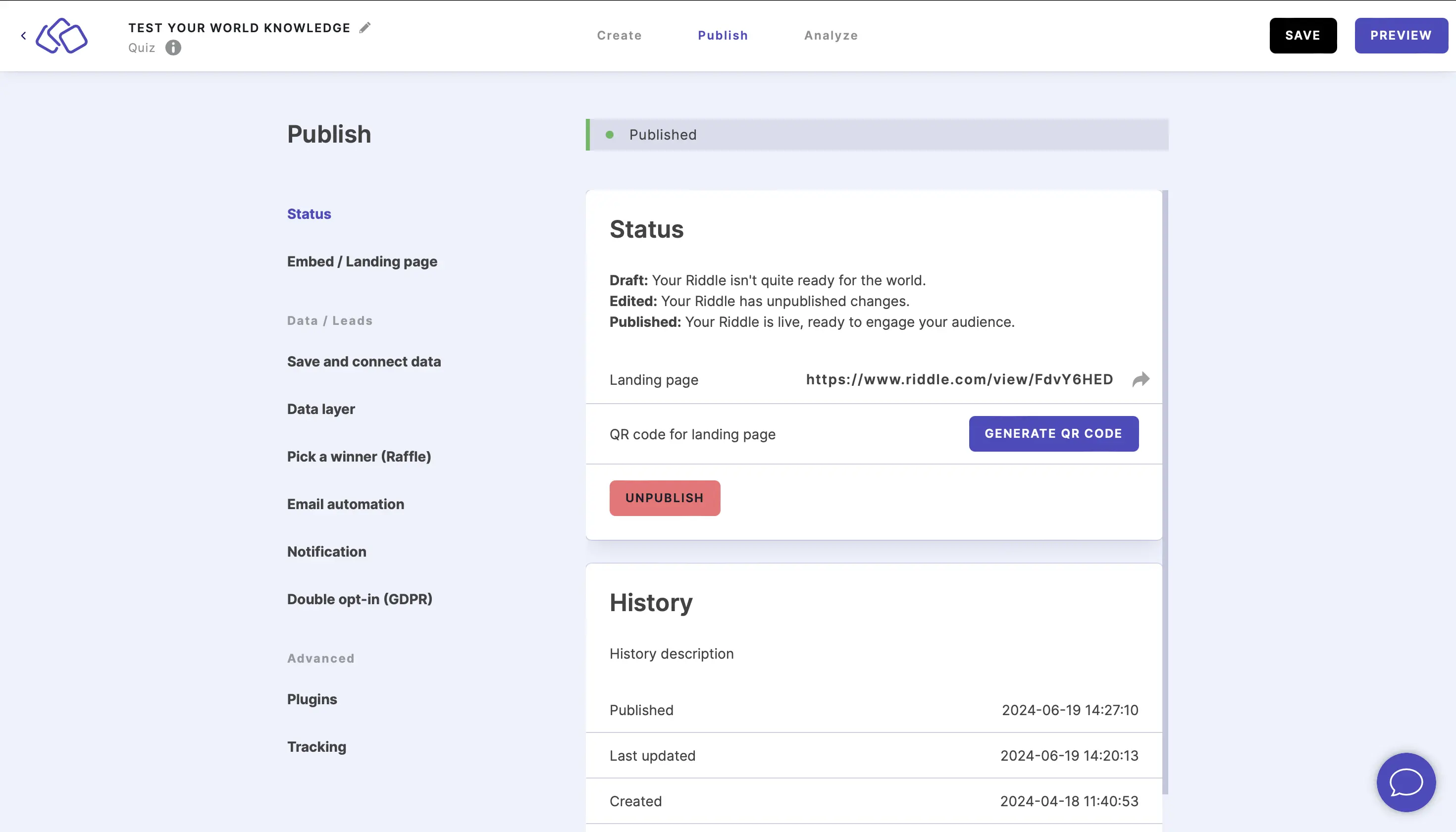
- Go to the Publish section.
- Click on Status.
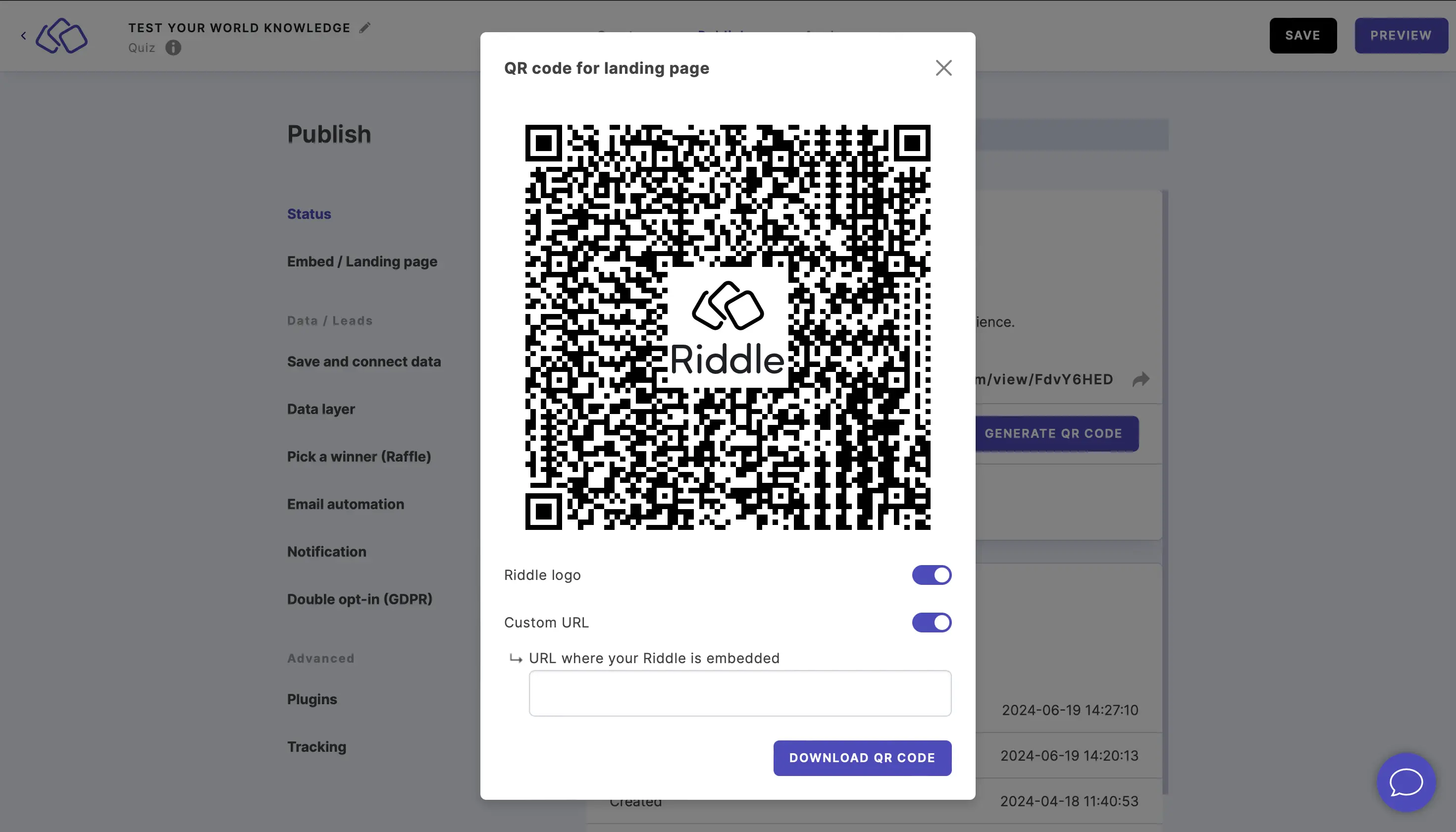
- Click on GENERATE QR CODE.
- Enable or disable Riddle logo.
- By default, the QR code takes the audience to your Riddle's landing page. If the QR code should take the audience to the page where your Riddle is embedded, enable Custom URL, and enter the URL where your Riddle is embedded.
- Click on DOWNLOAD QR CODE and paste, upload, or print it wherever you like.
Switch off your Riddle landing page
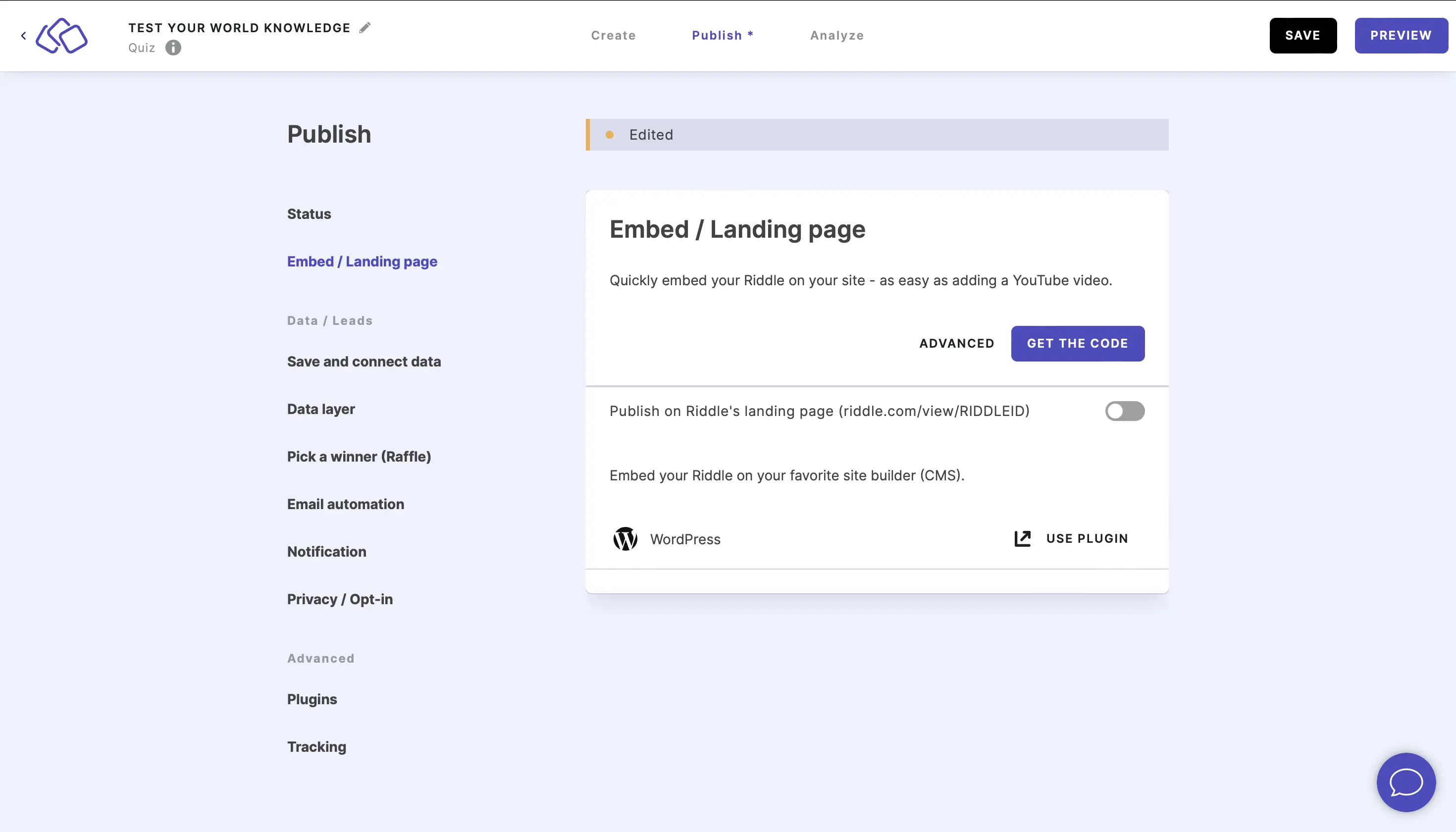
- Go to the Publish section.
- Click on Embed / Landing page.
- Disable Publish on Riddle's landing page.