

Monetization
Enterprise · See plansThe ad block shows an interstitial ad between two blocks of your Riddle: a video, a banner or any other content you serve from your own ad code. Your audience sees it as a step in the flow and continues with the next button. Use it to monetize the engagement your content already earns, with ads from a sponsor, your ad server or your own campaigns.
Use cases:
- Video ad before the result: play a sponsor's video right before the result page, when attention is highest.
- Banner between questions: show a banner from your ad server after every few questions of a long quiz.
- Your own promotion: advertise your newsletter, event or product inside the Riddle instead of around it.
Ads can also run above or below the whole Riddle instead of between questions, see Monetization settings for the difference and for creating project ad slots.
1. Ad
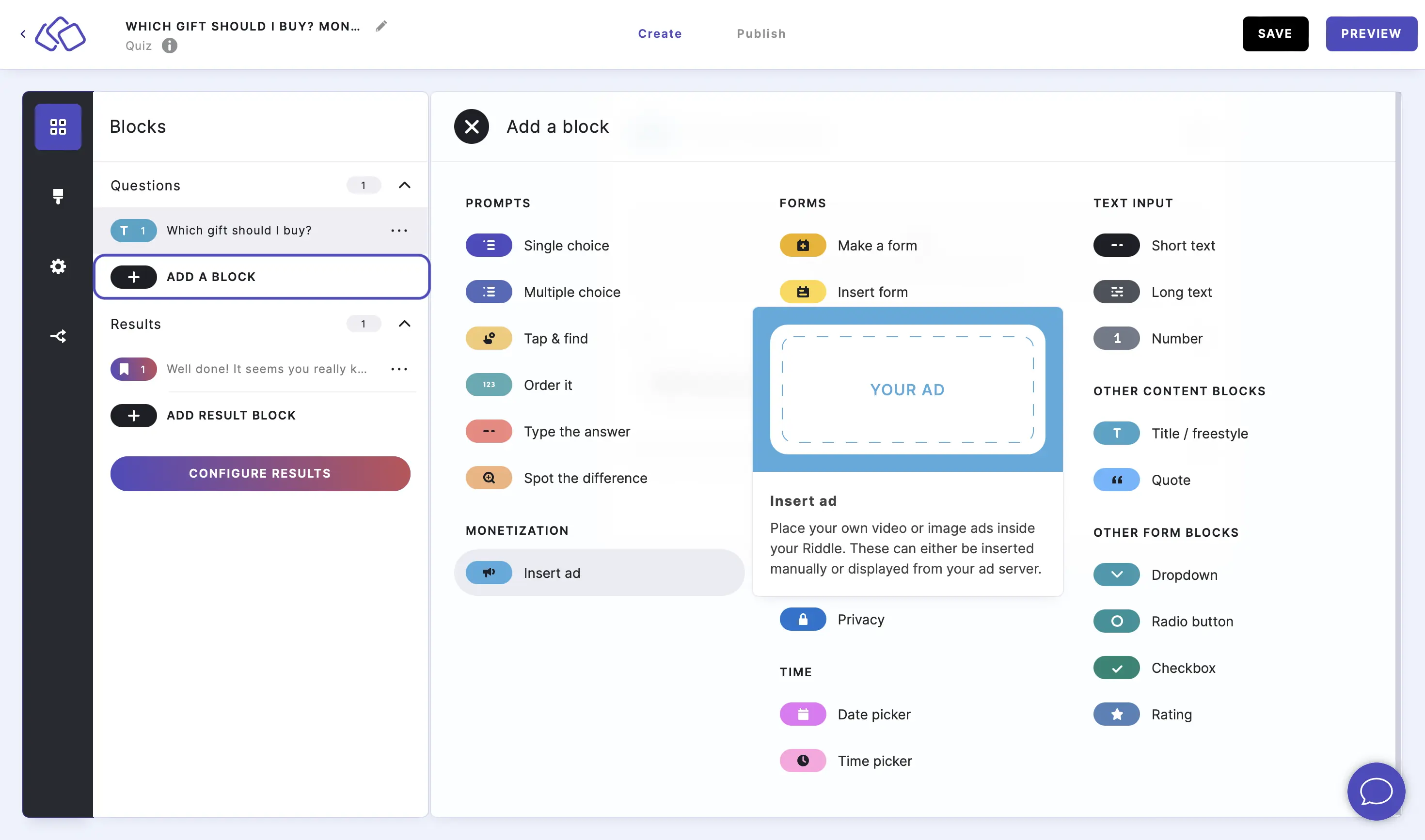
Insert your own ads in your Riddles, a powerful way to monetize your quizzes.
- Click on ADD A CONTENT BLOCK and select Ad block.
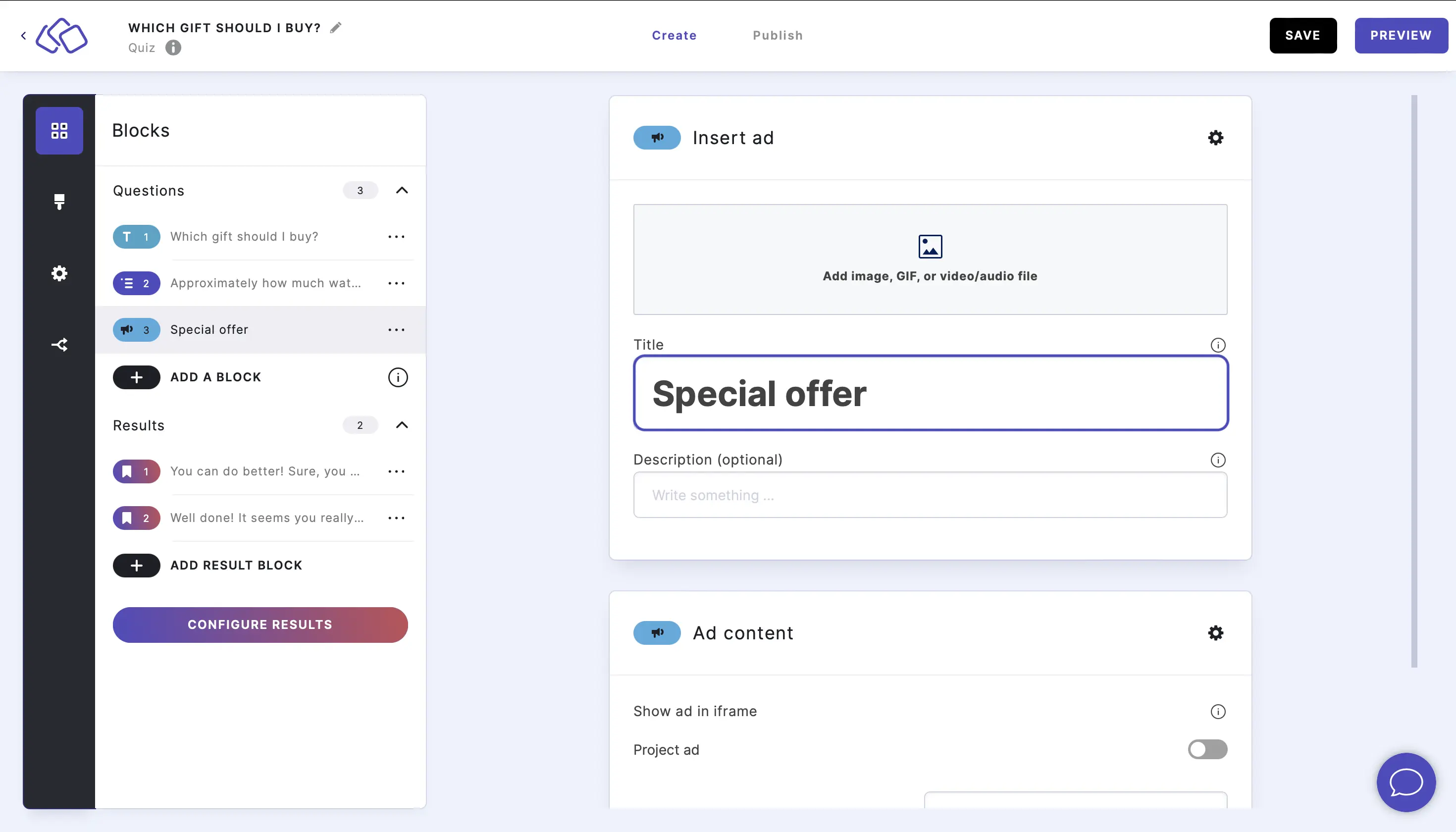
- Insert a text into the Title field.
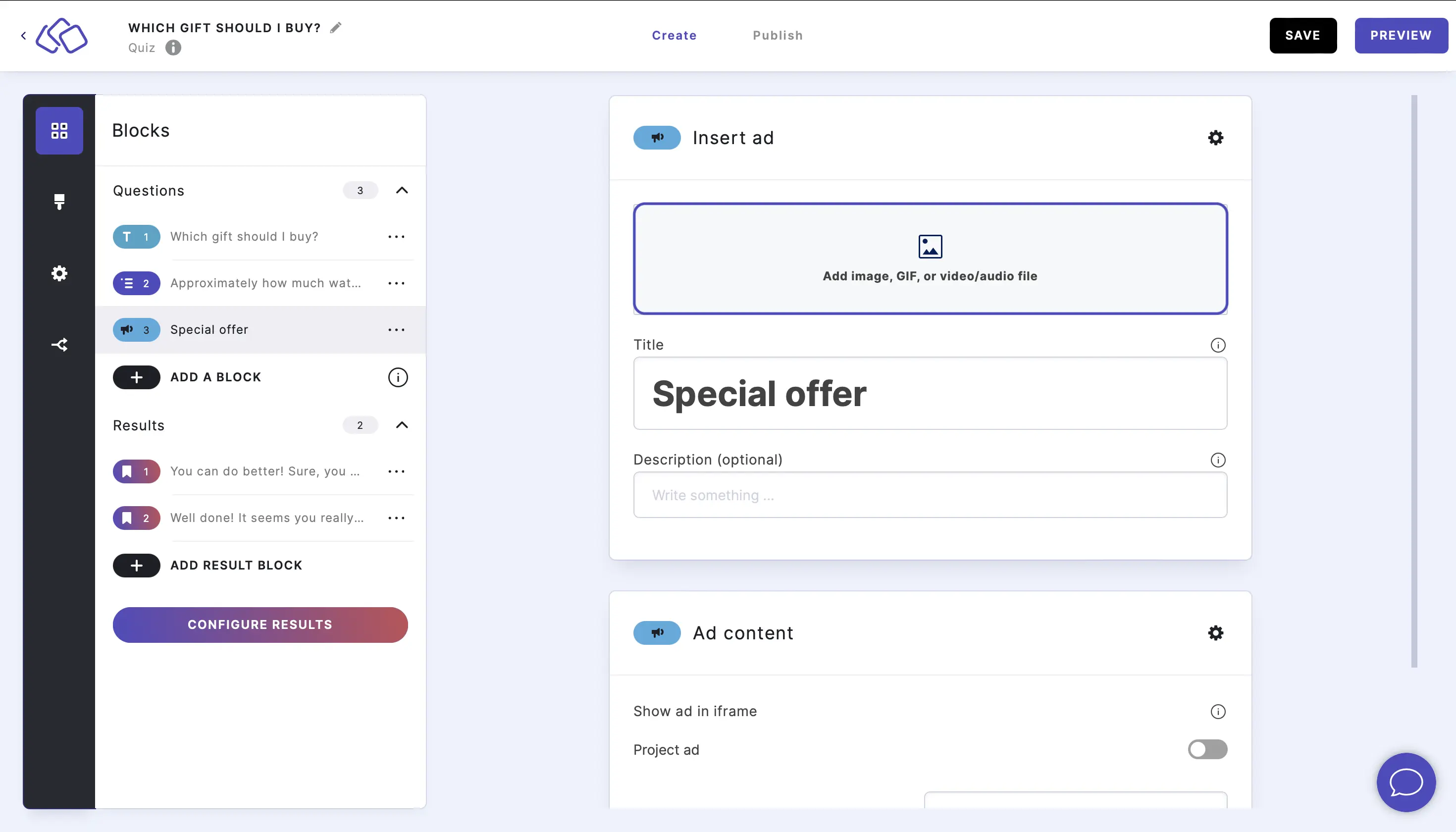
- Add an image by clicking on Add image, GIF, or video/audio file.
- Enable Project ad and select an ad slot if you want to use a project ad slot. Set up a project ad if necessary.
OR
Add a URL and height to the Ad content section fields. The URL is the page that renders your ad, shown in an iframe of the given height.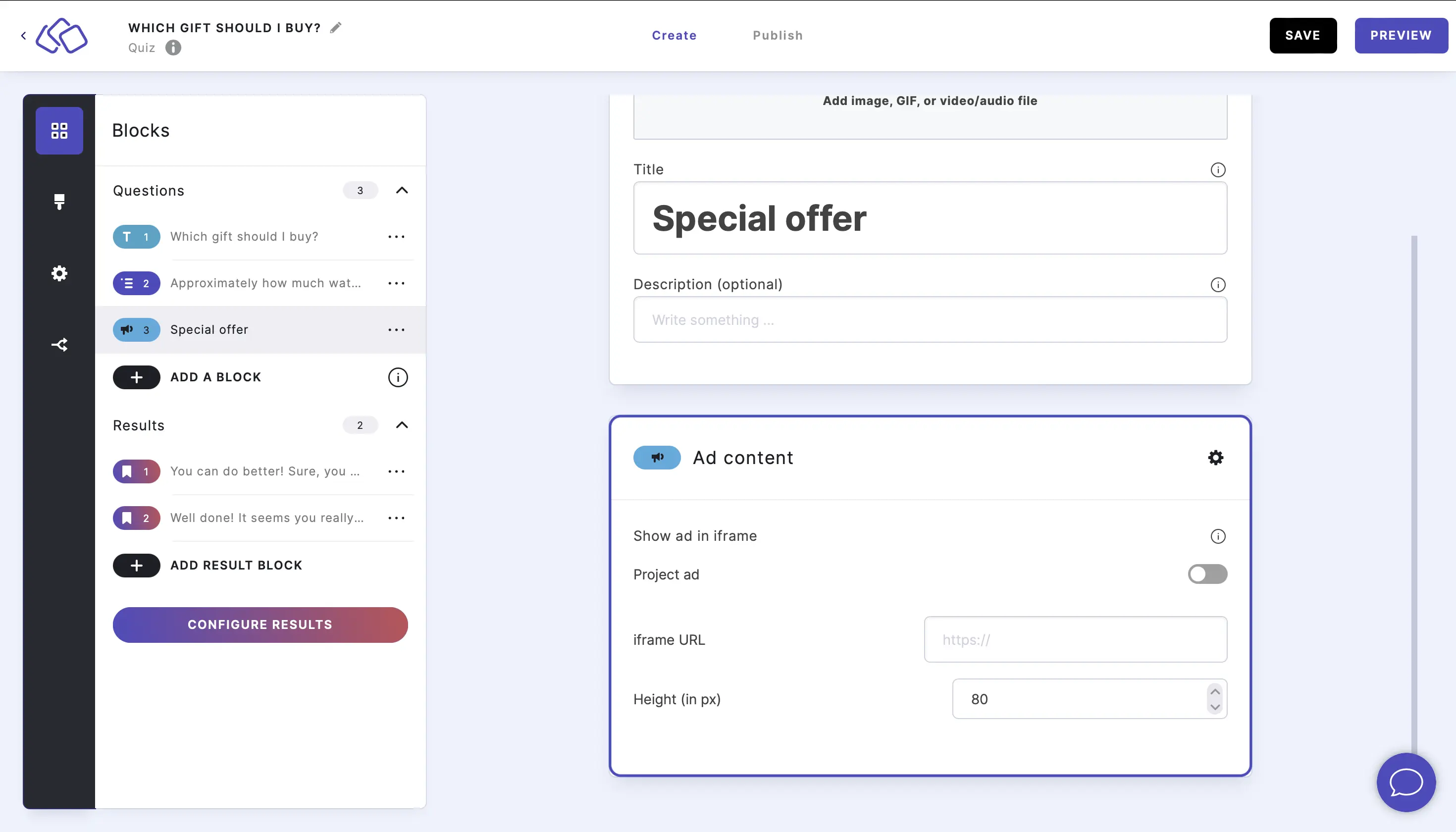
An ad block shows either a project ad slot or an iframe URL, not both.
Options
CHANGE MEDIA OPTIONS:
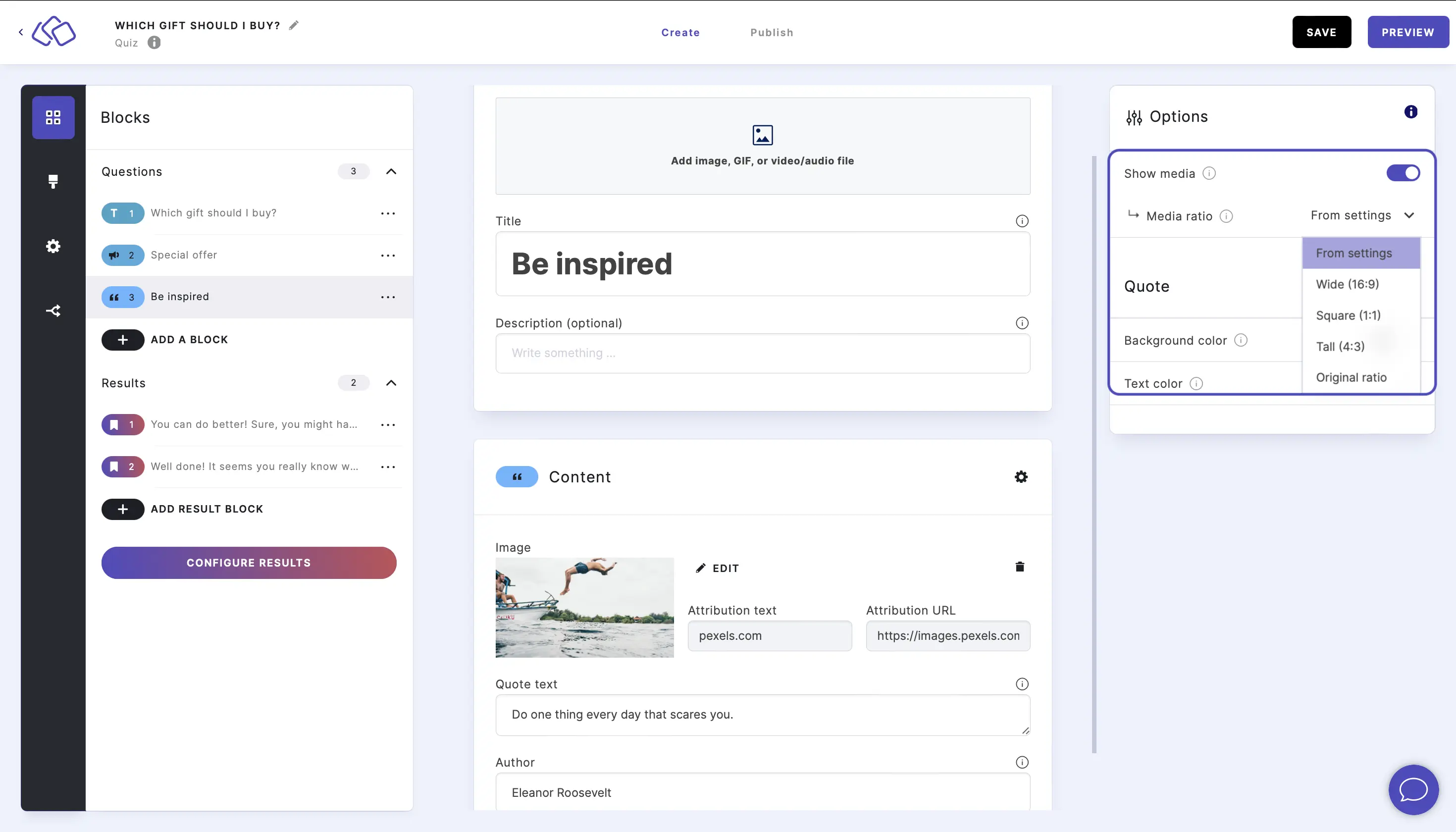
Go to the options icon on the right of Form Content.
Under Answers, disable Show media or select a Media ratio.
SKIP:
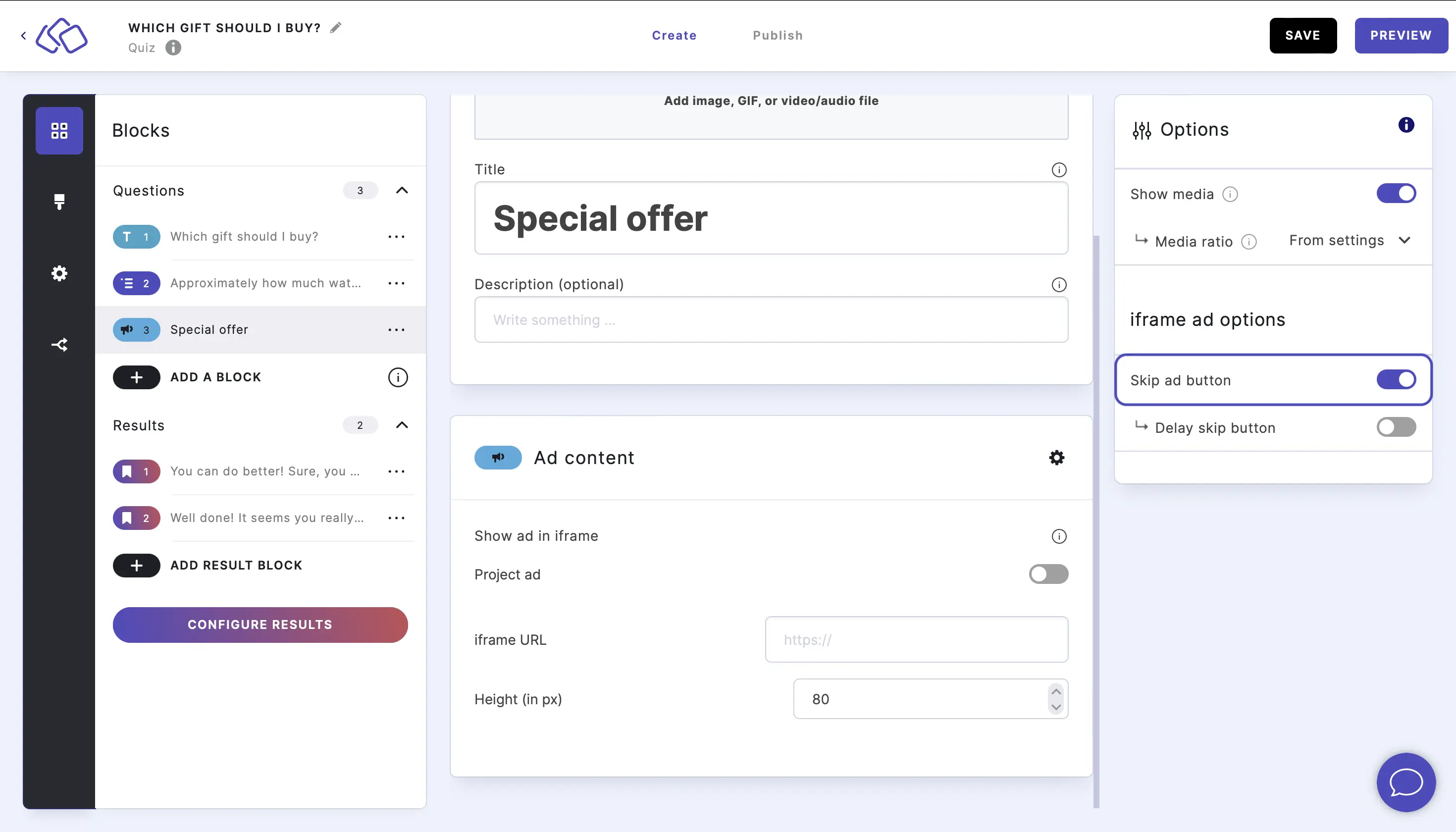
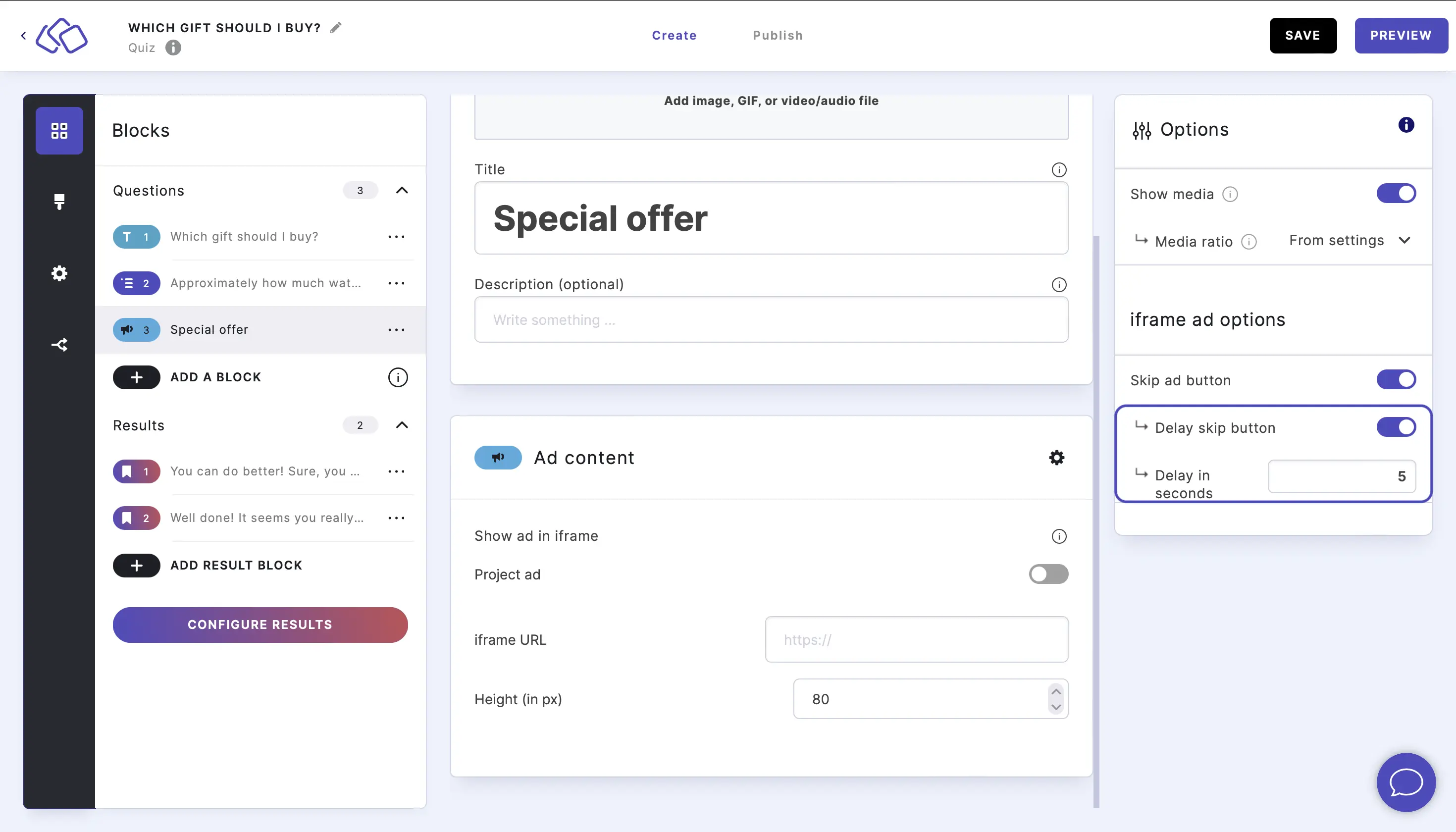
Go to the options icon on the right of Answer Content and enable Skip ad button. This shows the next button your audience uses to continue after the ad.
Add a time delay by enabling Delay skip button and type in the delay you would like. The next button then appears only after that many seconds, so the ad is seen before it can be skipped. The default delay is 5 seconds.
Next steps
- Monetization settings – create project ad slots and show ads above or below the whole Riddle.
- Other content blocks – text, media and quote blocks for content between questions.
- Builder API: Ad block – add ad blocks to Riddles you build via API.