The Interactive Graphic Maker

Turn any image into a self-guided experience your audience can’t stop exploring.

Add clickable hotspots to any image. Product mockups, maps, stadium guides, museum exhibits. Any visual with layered information becomes an active discovery experience.

No coding. Fully customizable. Brand-ready.

No credit card required. 14-day free trial.

2:48
average engagement time on Riddle content
73.4%
start → finish conversion rate
28.6%
lead form opt-in rate
3.02×
engagement vs. standard web pages

Source: Riddle 2025 Quiz Marketing Report · 8.96 billion platform data points. Numbers are platform-wide across Riddle’s interactive formats.

Why Interactive Graphics work

Discovery beats a PDF. Information users uncover is trusted more than information handed to them.
Depth without the clutter. Hotspots reveal detail exactly when users ask for it. No overwhelm.
One graphic, many pages. Drill into a new image layer without ever leaving the page.
Every tap is data. Track which hotspots users engage with most, and act on it.
Participation, not impressions. Tapping a hotspot is the engagement advertisers pay for.

Try it yourself

This is a live Riddle Interactive Graphic. The exact same embed you’d ship on your site. Tap a hotspot. Notice how quickly you want to explore the rest of the image. That’s what your audience will do too.

How to use Interactive Graphics

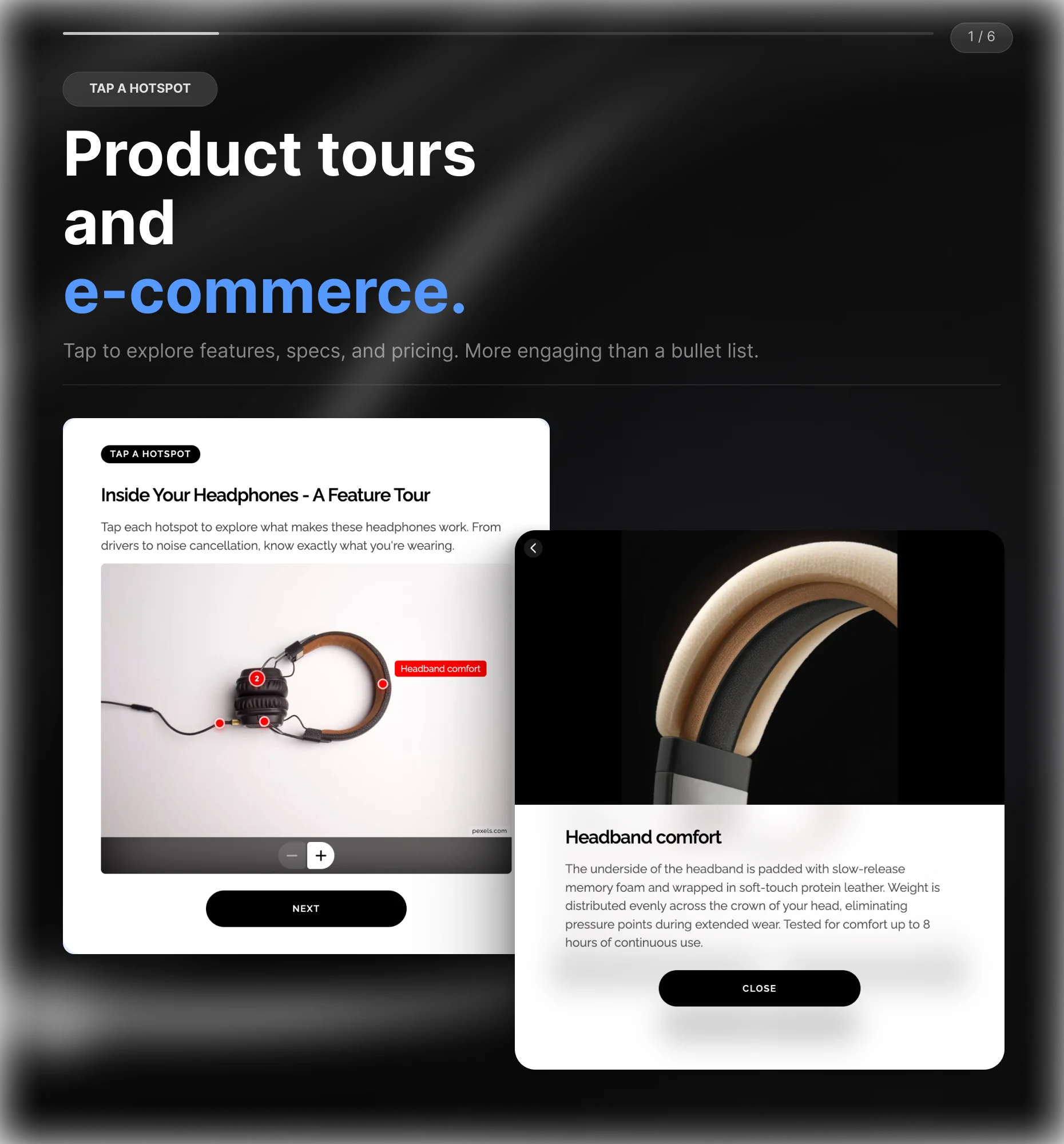
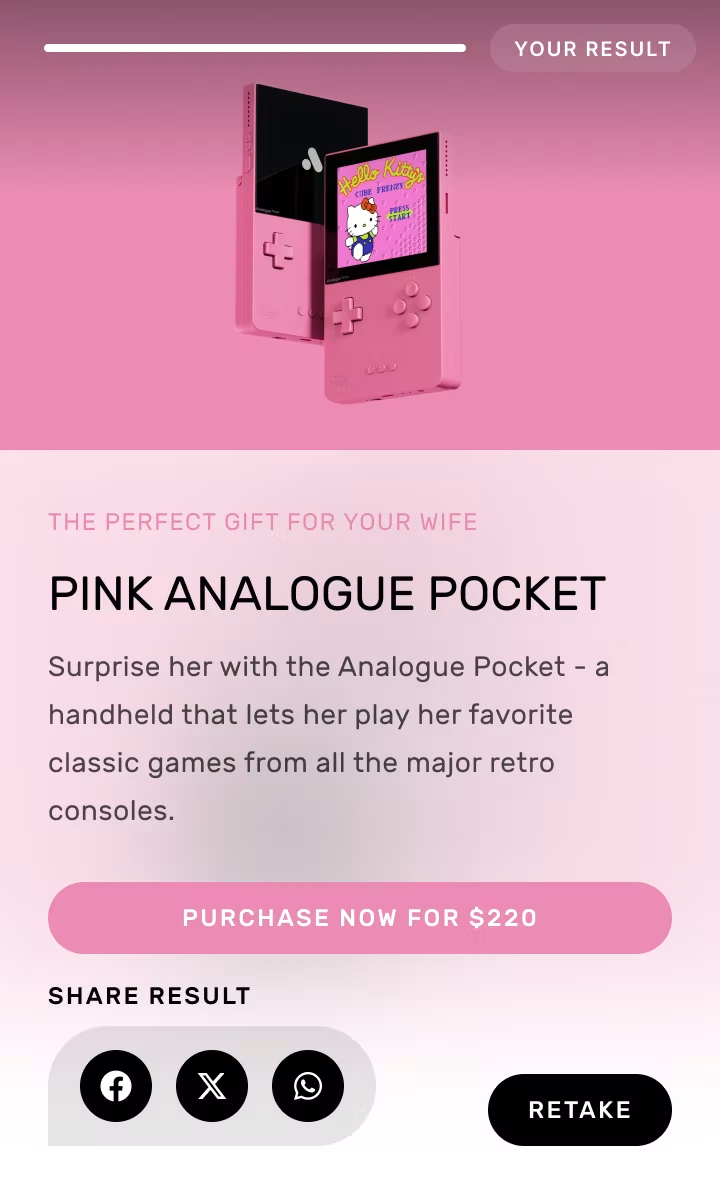
Product tours and e-commerce.

Add hotspots to a product image so users tap to explore features, specifications, or pricing at their own pace. More engaging than a bullet list. Converts better than a static shot.

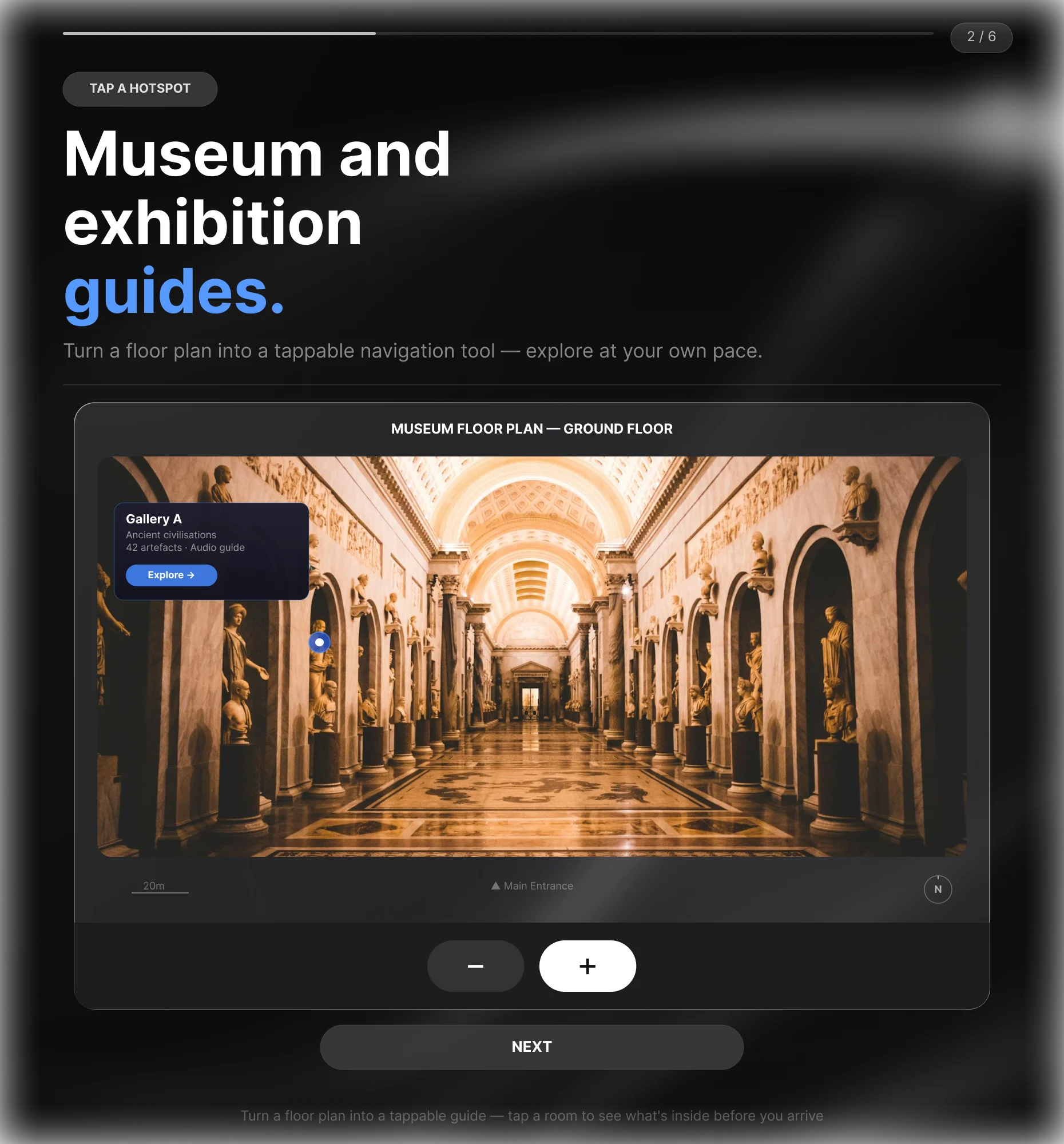
Museum and exhibition guides.

Turn a floor plan or exhibit image into a tappable navigation tool. Visitors tap a room or artifact to see what’s inside before they arrive, or explore an online exhibition at their own pace. Infographics, diagrams, and illustrated timelines work the same way: readers tap what interests them and see the detail behind it.

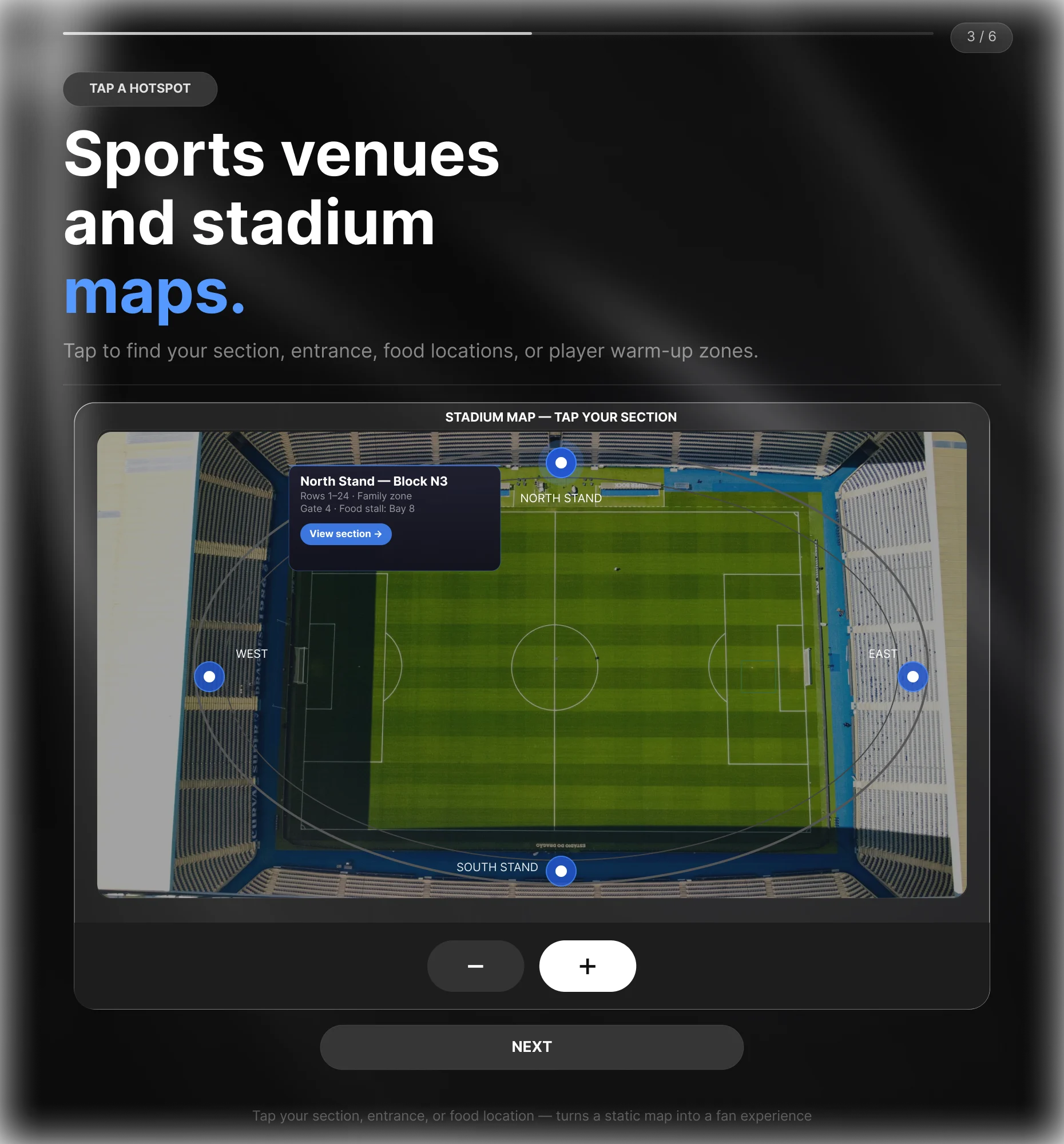
Sports venues and stadium maps.

Add hotspots to a stadium or arena map so fans tap to find their section, nearest entrance, food and drink locations, or player warm-up zones. Turns a static seating plan into a fan experience that drives pre-match engagement.

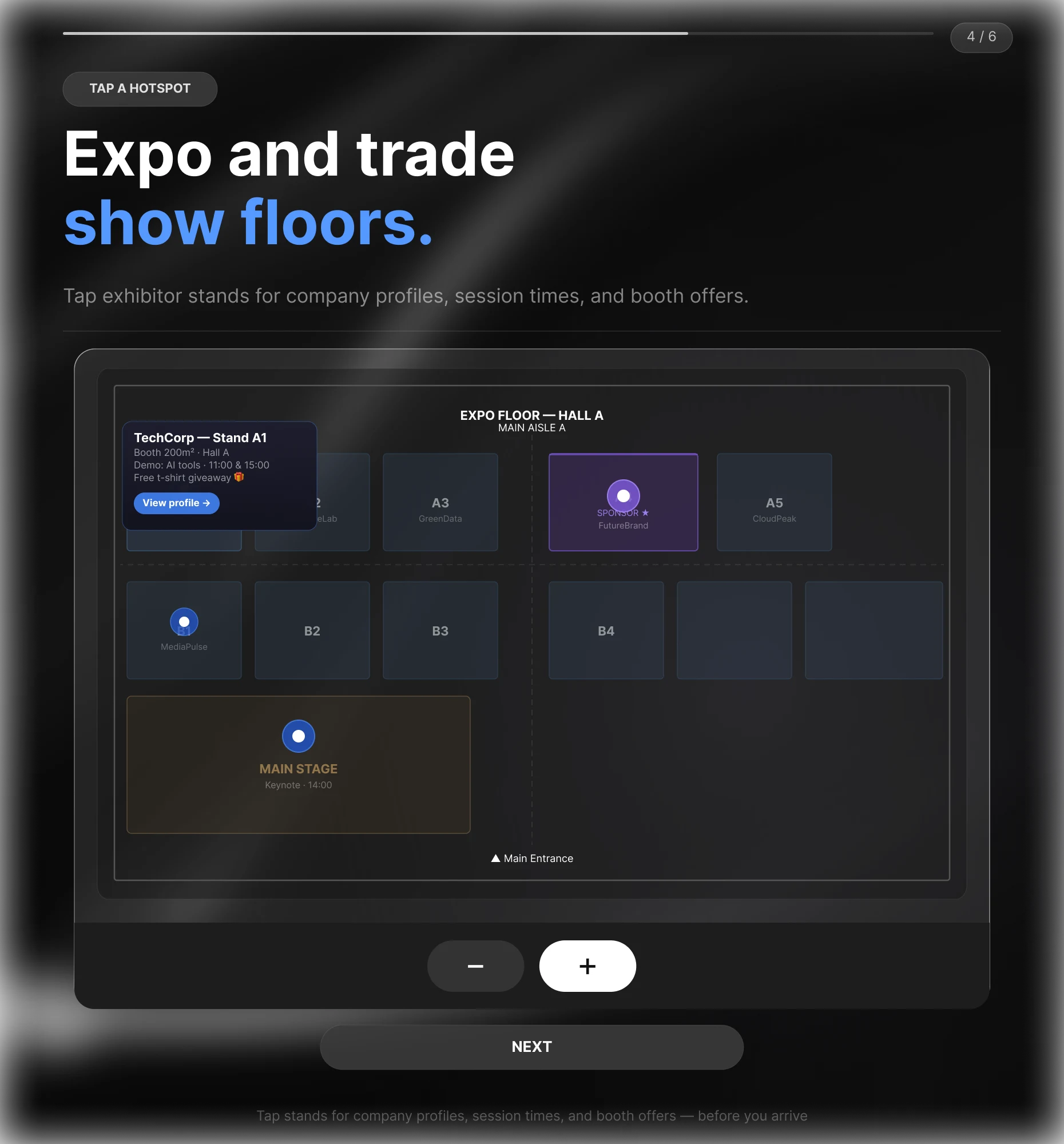
Expo and trade show floors.

Turn any event floor plan into a tappable guide. Visitors tap exhibitor stands to see company profiles, session times, or booth offers before they arrive. Organizers use it to drive pre-event engagement and sponsor visibility.

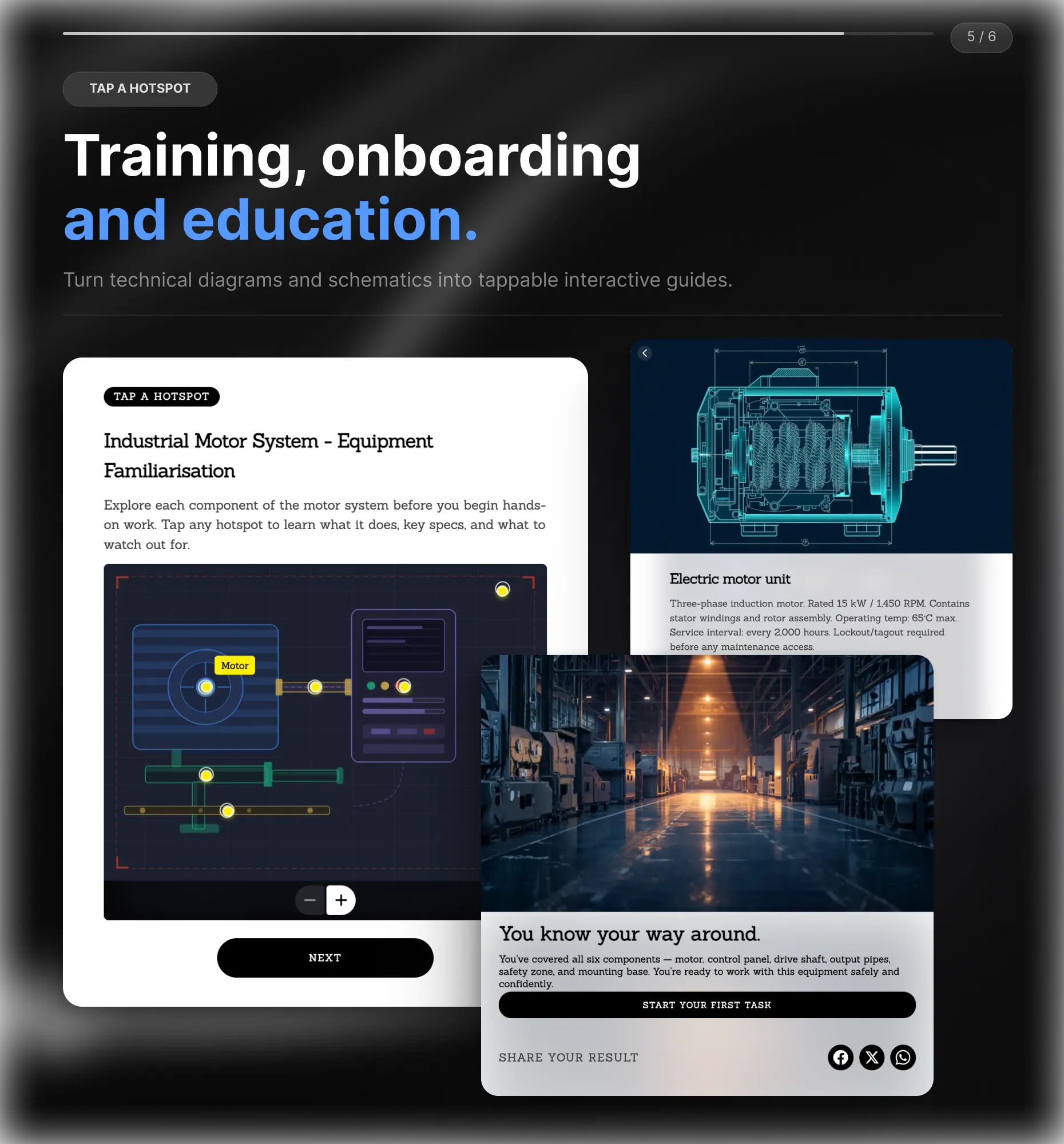
Training, onboarding, and education.

Turn technical diagrams, machinery schematics, safety protocols, or onboarding materials into tappable interactive guides. Employees tap a component to see how it works, what it does, or the safety procedure. More effective than a PDF manual. More engaging than a slide deck.

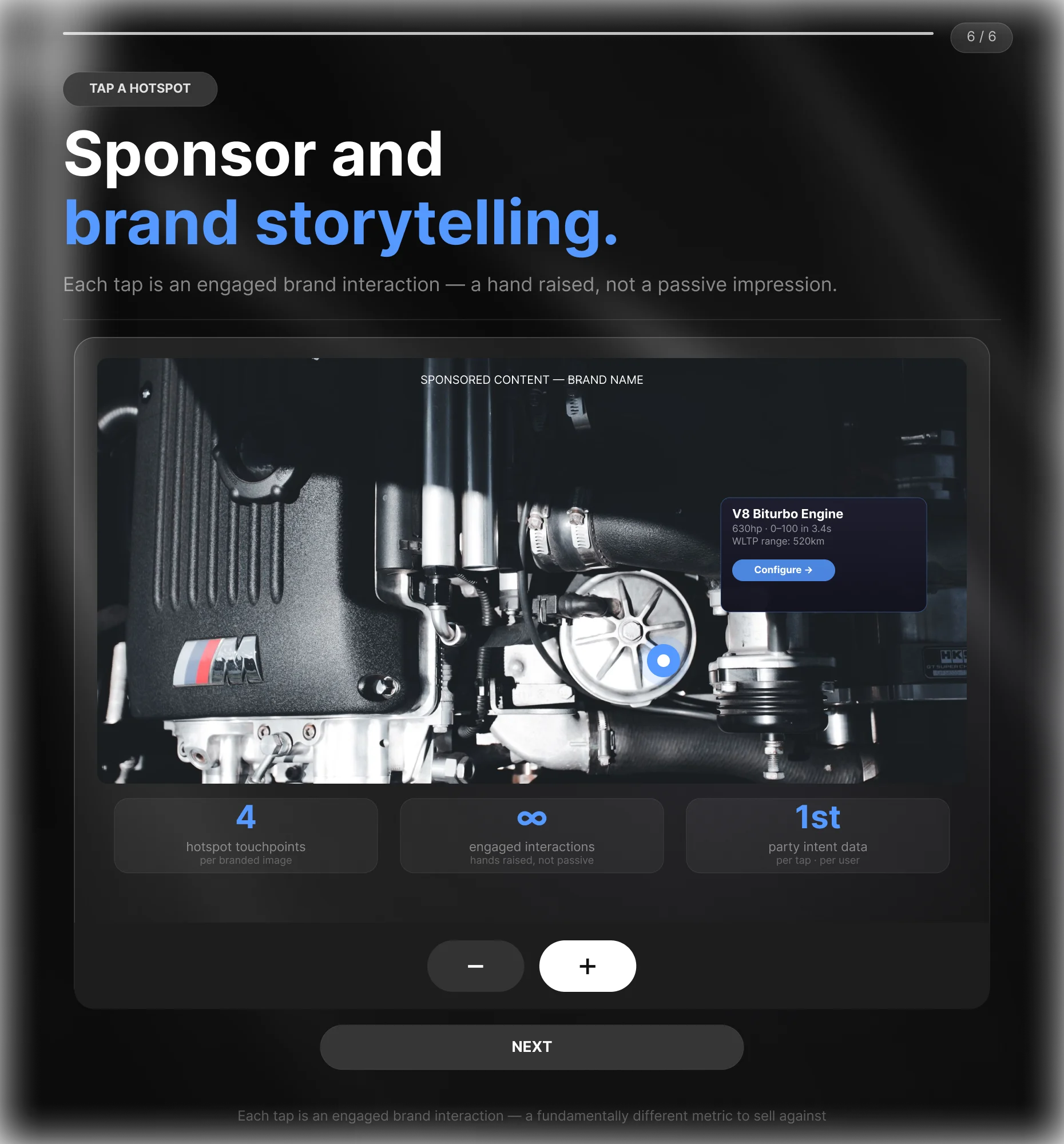
Sponsor and brand storytelling.

Feature a product, campaign, or partner story across multiple hotspots inside a branded image. Each tap is an engaged brand interaction, not a passive impression. For sponsors, that’s a fundamentally different metric to sell against.

Build Interactive Graphics your audience explores to the last hotspot

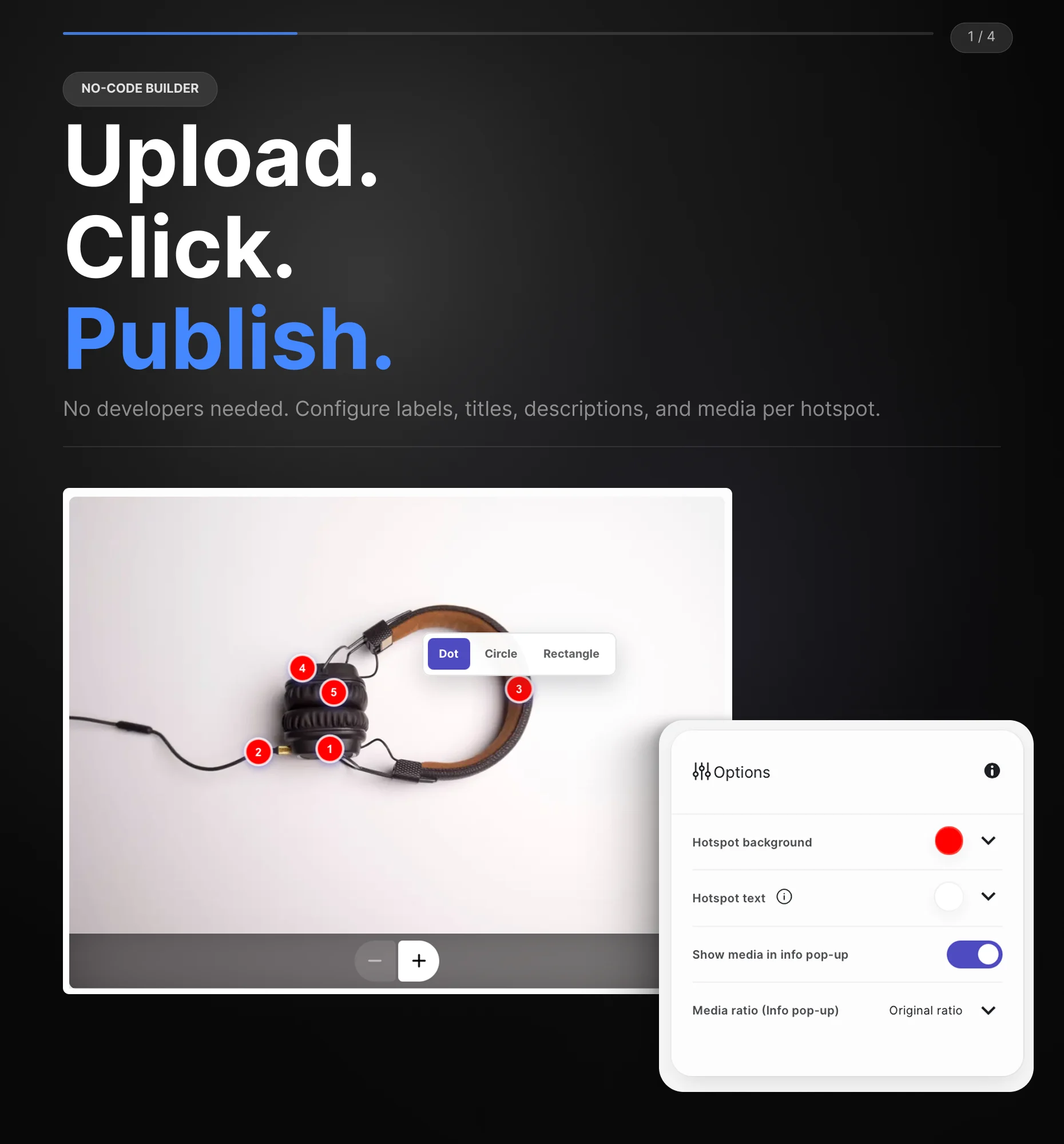
No-code builder.

Upload any image, click to place hotspots, and configure each one with a label, title, description, and optional media. No developers needed.

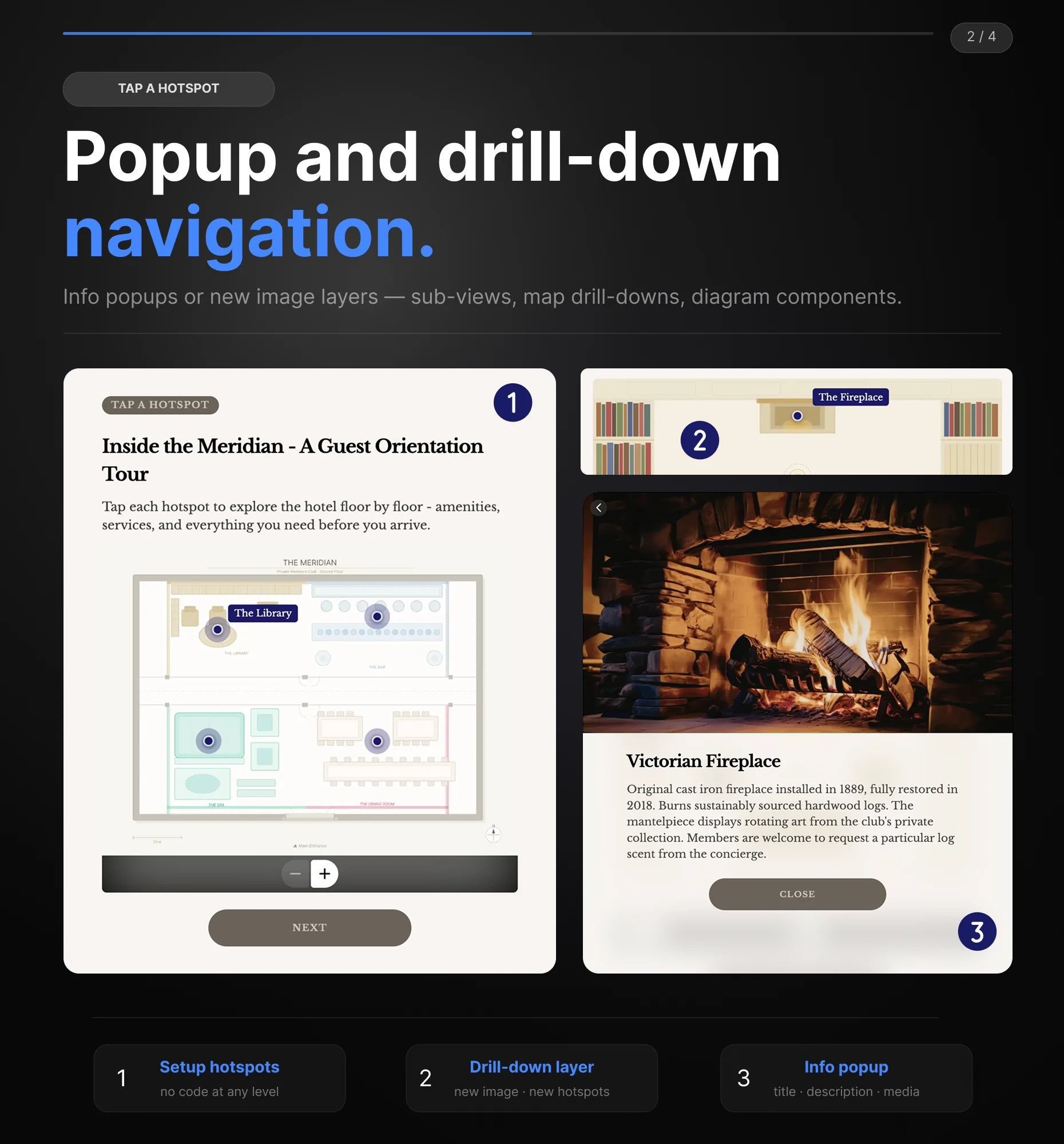
Popup and drill-down navigation.

Each hotspot can open an info popup or navigate to a new image layer. Configure product sub-views, map drill-downs, or diagram components without writing a line of code.

Mobile and brand-ready.

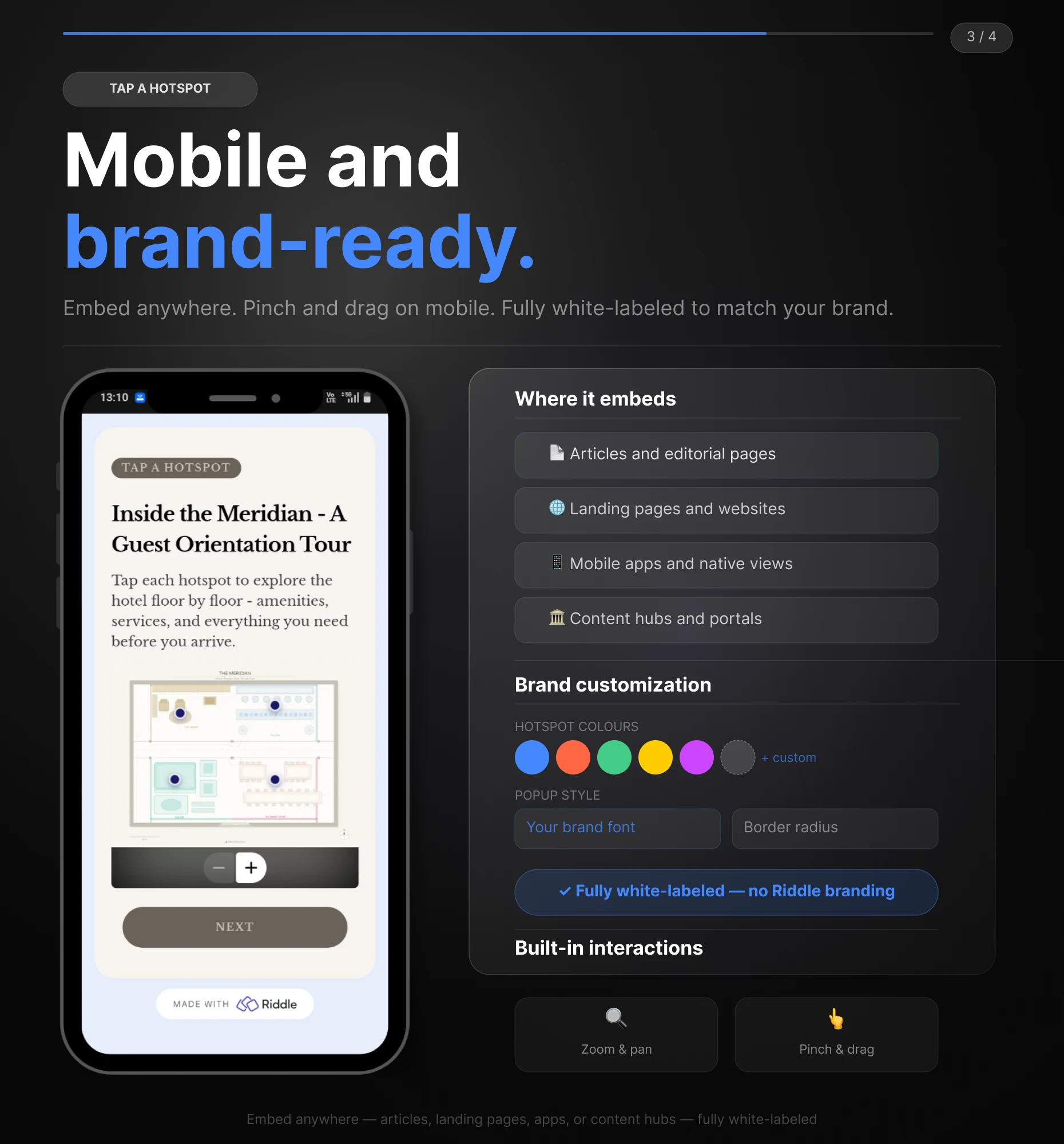
Embed anywhere: articles, landing pages, apps, or content hubs. Full-width, with built-in zoom and pan. Pinch and drag on mobile. Fully white-labeled to match your brand.

Audience intelligence built in.

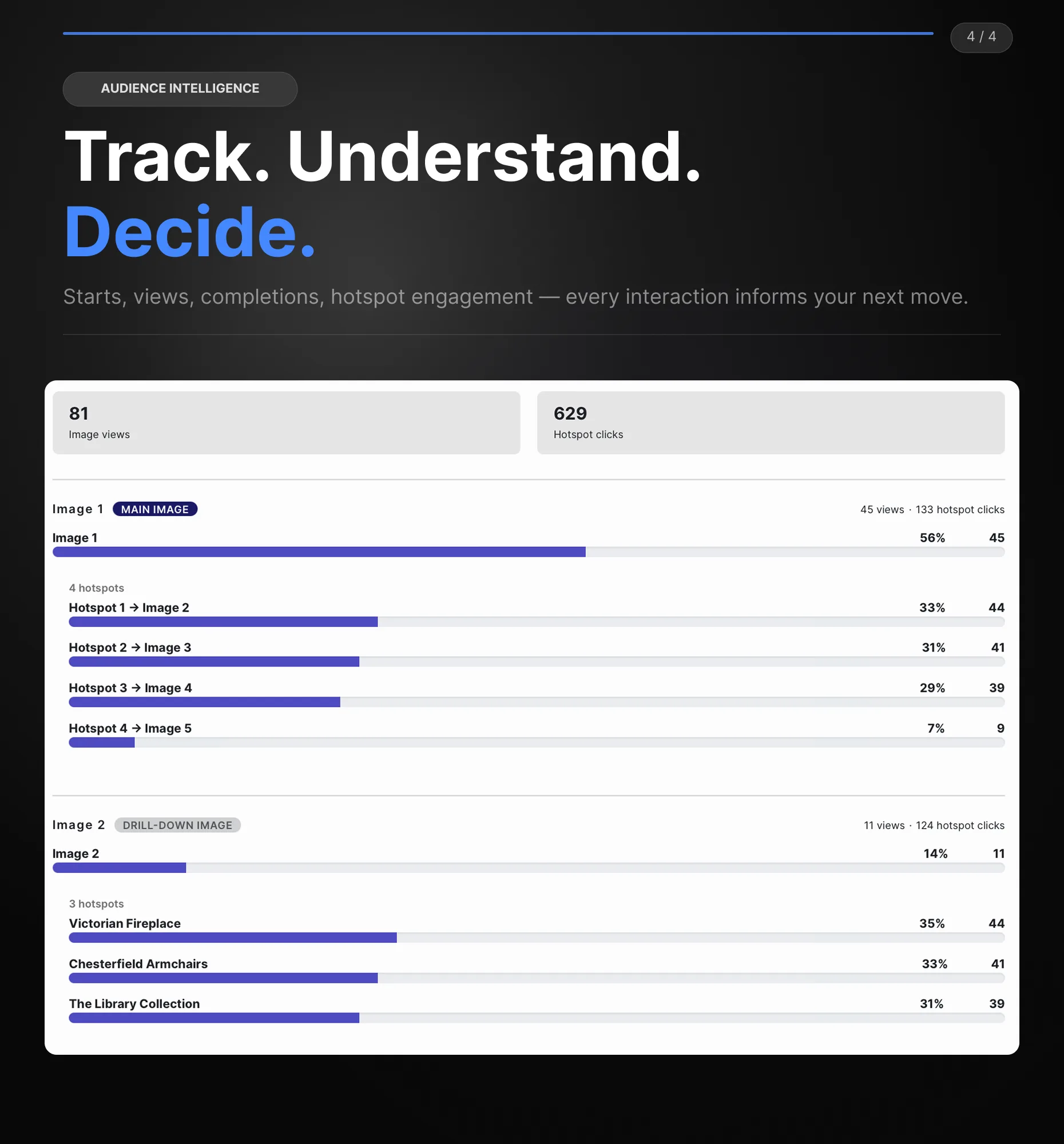
Track which hotspots users engage with most. Get in-depth insights into user preferences with built-in analytics covering starts, views, completions, and hotspot engagement. Connect with your existing marketing tools and let every interaction inform your next decision.
  • What is an Interactive Graphic?

    An Interactive Graphic is an image with clickable or tappable hotspots. Each hotspot reveals additional information in a popup or navigates to a new image layer. It turns any static visual into a guided, layered discovery experience.

    What types of content work best as Interactive Graphics?

    Product images, training materials, stadium and venue maps, expo floor plans, museum exhibits, illustrated maps, and any visual that contains more information than a single image can show at once.

    Can a hotspot navigate to a second image?

    Yes. Hotspots can either open an info popup or switch to a drill-down image. Each drill-down image can have its own hotspots that open info popups. One level of drill-down is supported.

    How many hotspots can I add?

    As many as your image requires. Hotspots are numbered automatically and can be repositioned by dragging. Hotspots placed too close together group automatically and separate when the reader zooms in.

    Does the Interactive Graphic work on mobile?

    Yes. Readers pinch and drag to navigate on mobile, and hotspots respond to taps. The full interactive experience works across any device or browser.

    Do I need coding skills to create an Interactive Graphic?

    No coding required. Upload your image, click to place hotspots, and configure each one using Riddle’s visual builder.

    How much does Riddle cost?

    Riddle offers Pro, Business, and Enterprise plans for different team sizes and content needs. You can start with a 14-day free trial without a credit card. Full plan details are on our pricing page.

What our clients say

Riddle helps our Children's interactive team to quickly create engaging content that provide compelling data insights about our audience.
Derek Harvie
Derek Harvie Executive Producer BBC
We were looking for ways to increase engagement with our audience and we decided to work with Riddle. Our content team love Riddle and our Quizzes are getting 35% more page views and 40% more time on site after the first month.
Mark Wright
Mark Wright Managing Director Den of Geek

Insights & guides